Application Accepted but Certificate of Design Not Generated: What It Means and How to Fix It


You’ve submitted your application, waited patiently, and finally received the news you were hoping for — Application Accepted. But then you notice something unsettling: the Certificate of Design has not been generated. No document. No download link. No email attachment. Just silence where there should be a certificate.
If this situation sounds familiar, you’re not alone. This is one of the most common yet frustrating administrative snags that applicants encounter — across government portals, municipal building systems, trade licensing platforms, and online regulatory bodies. Understanding why this happens and what you can do about it can save you days — or even weeks — of unnecessary delay.
What Is a Certificate of Design?
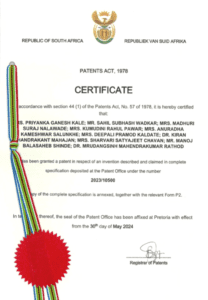
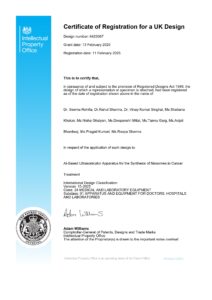
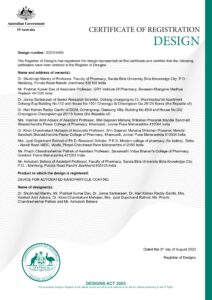
A Certificate of Design is an official document issued by a regulatory authority, government body, or competent technical organization that certifies a proposed design — whether architectural, structural, electrical, mechanical, or product-related — meets the required standards and codes. It is typically the culmination of an approval process and serves as legal proof that the submitted design has been reviewed, verified, and cleared for implementation.
In the context of building and construction, a Certificate of Design is often a prerequisite before ground-breaking can begin. In product manufacturing, it may be required before a product can be marketed or sold. In engineering, it validates that a design complies with safety norms. Regardless of the industry, its importance cannot be overstated.
Why Does This Disconnect Happen?
The gap between an application being marked “Accepted” and a Certificate of Design being generated is more common than it should be, and it stems from a variety of causes:
1. Technical Glitches in the Portal
Online government and regulatory portals are often built on legacy systems or undergo frequent updates. When your application status changes to “Accepted,” a backend process is supposed to trigger the document generation. If there’s a bug, timeout, or server error at that moment, the certificate simply doesn’t get created — but the status update still goes through.
2. Incomplete Internal Workflow
Some systems have multi-stage internal workflows. “Accepted” might mean your application cleared the first review stage, while the certificate is generated only after a secondary approval — by a senior officer, technical committee, or automated compliance check. The interface may not always communicate this clearly to the applicant.
3. Missing or Unverified Supporting Documents
Even when your main application is accepted, the certificate may be held back if supporting documents — such as structural drawings, engineer certifications, or compliance declarations — haven’t been fully verified or are flagged for discrepancies.
4. Fee Payment Not Confirmed
In many jurisdictions, the Certificate of Design is only released after a processing fee is paid and confirmed. If payment confirmation is pending — even after the application itself is accepted — the certificate won’t be generated until the system registers a successful transaction.
5. Database or Integration Failures
Some platforms pull data from multiple databases to populate a certificate. If one of those data sources — say, a land records system or an applicant identity database — is temporarily unavailable, the certificate generation fails silently.
What Should You Do?
If your application has been accepted but you haven’t received or cannot access your Certificate of Design, here’s a practical step-by-step approach:
Step 1: Wait and Refresh
Sometimes it’s just a delay. Certificate generation can take anywhere from a few minutes to a few hours after acceptance, especially on high-traffic portals. Wait a few hours, clear your browser cache, and log back in to check again.
Step 2: Check Your Email and Spam Folder
Many portals send the certificate as an email attachment rather than making it available only on the dashboard. Check your registered email’s inbox and spam folder carefully.
Step 3: Review Payment Status
Go back to your application and verify that any applicable fees have been paid and marked as “Confirmed” or “Successful.” A pending or failed payment is often the silent culprit.
Step 4: Check for Pending Actions
Some portals will list outstanding requirements under “Pending Actions” or “Deficiency Notices.” Review these carefully — the certificate may be on hold pending a simple document upload or a clarification response.
Step 5: Contact the Helpdesk or Nodal Officer
If none of the above resolves the issue, contact the authority’s helpdesk. Be ready to share:
- Your application reference number
- Date and time of acceptance notification
- Screenshots of the current status
- Any error messages encountered
Many authorities also have nodal officers assigned to specific districts or sectors who can manually trigger the certificate generation.
Step 6: File a Grievance (If Necessary)
If your follow-ups go unanswered beyond the stipulated timeline, escalate by filing a formal grievance. Most government portals have a built-in grievance mechanism. Document every communication and keep records of your acceptance notice.
Prevention: How to Avoid This in Future Applications
While you can’t always prevent technical failures, you can minimize the risk:
- Always use a stable internet connection when submitting applications and making payments.
- Take screenshots at every critical step — submission, payment confirmation, and acceptance.
- Double-check document formats and sizes before uploading to avoid triggering silent rejections.
- Register with a reliable email address that you monitor regularly.
- Note the expected timeline mentioned in the portal and follow up proactively if crossed.
The Bigger Picture
The frustration of receiving an “Application Accepted” status without a corresponding Certificate of Design highlights a systemic gap in how many digital governance platforms communicate with users. Status labels like “Accepted,” “Approved,” “Under Process,” and “Completed” are often poorly defined, leading applicants to believe the process is done when it isn’t.
Authorities and platform developers must prioritize better UX design, real-time status explanations, and automated alerts when document generation fails. Until then, the burden unfairly falls on the applicant to follow up, escalate, and persist.
Final Thoughts
An accepted application is great news it means your submission passed scrutiny. But it’s only meaningful when paired with the actual certificate in hand. If your Certificate of Design hasn’t been generated, don’t panic and don’t wait indefinitely. Follow the steps outlined above, escalate through proper channels, and keep your documentation trail intact.
Your design has been approved. Now make sure the paperwork catches up.